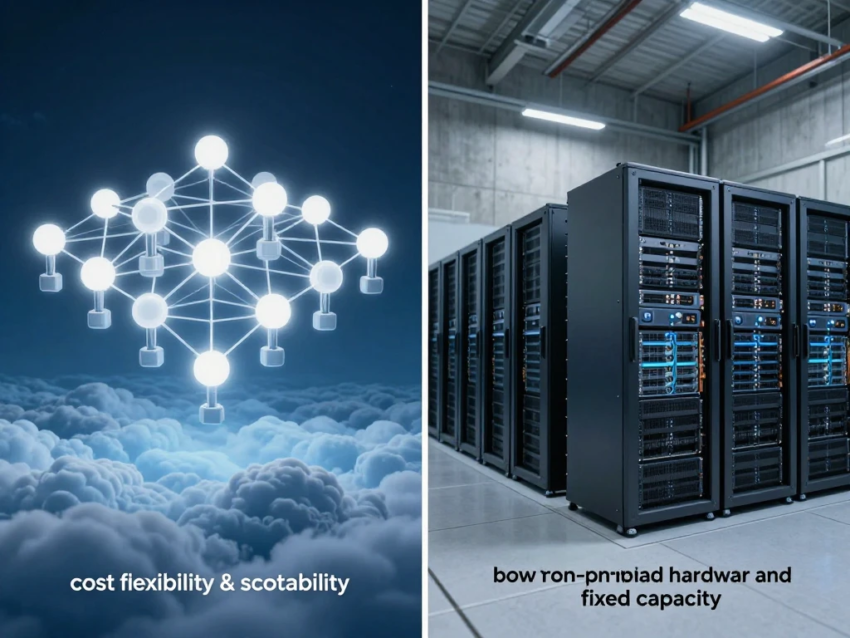
Introduction
Technology infrastructure plays an important role in how businesses store data, run applications, manage employees, communicate with customers, and deliver digital services. For many years, organizations relied primarily on traditional IT infrastructure, including physical servers, local storage, desktop software, networking equipment, and on-premises data centers.
Cloud computing has introduced a different approach. Instead of owning and managing all infrastructure locally, businesses can access computing resources through cloud platforms operated by technology providers.
The comparison between cloud computing vs traditional IT is important for organizations planning infrastructure upgrades, digital transformation, application modernization, or technology investments.
Cloud computing can provide scalability, flexibility, faster deployment, and access to advanced services. Traditional IT can provide direct control over infrastructure, predictable physical environments, and specific customization options.
Neither approach is automatically suitable for every organization. The right choice depends on factors such as business requirements, security, budget, compliance, workload characteristics, technical expertise, and long-term goals.
This guide explains the key differences between cloud computing and traditional IT, including infrastructure, costs, scalability, security, maintenance, performance, accessibility, benefits, challenges, and how businesses can choose the right approach.
What Is Cloud Computing?
Cloud computing is the delivery of computing resources and technology services through internet-connected infrastructure.
Cloud services can include:
- Virtual servers
- Storage
- Databases
- Networking
- Software
- Artificial intelligence
- Analytics
- Security
- Development platforms
Instead of purchasing all the required hardware, organizations can rent or subscribe to cloud resources according to their requirements.
Cloud providers manage large data centers and provide customers with access to computing infrastructure and managed services.
What Is Traditional IT?
Traditional IT generally refers to infrastructure that an organization owns or manages directly.
This can include:
- Physical servers
- Local data centers
- Desktop computers
- Network hardware
- Local storage
- Physical security systems
- Installed software
Organizations are responsible for purchasing, maintaining, updating, securing, and replacing much of this infrastructure.
Traditional IT is also commonly called on-premises IT when infrastructure is physically located within an organization’s facilities.
Cloud Computing vs Traditional IT: Key Difference
The biggest difference is where infrastructure is located and who manages it.
With traditional IT, organizations typically purchase and maintain their own physical infrastructure.
With cloud computing, organizations access infrastructure and services provided by a cloud provider.
For example, a company using traditional IT may purchase a physical server for an application.
A cloud-based company could create a virtual server through a cloud platform and pay for the resources it uses.
1. Infrastructure Ownership
Traditional IT
Organizations generally own or lease their physical infrastructure.
They are responsible for:
- Purchasing servers
- Installing equipment
- Maintaining hardware
- Replacing outdated systems
- Managing physical facilities
This provides direct control but requires significant investment.
Cloud Computing
Cloud providers own and manage the physical infrastructure.
Businesses access resources through cloud platforms.
This reduces the need for organizations to purchase and operate large amounts of physical hardware.
2. Cost Differences
Cost is one of the most important differences between cloud computing and traditional IT.
Traditional IT Costs
Traditional infrastructure can require significant upfront investment.
Expenses may include:
- Servers
- Networking equipment
- Storage
- Data center space
- Cooling
- Electricity
- Hardware maintenance
- IT staff
Businesses may need to purchase capacity before they actually need it.
Cloud Computing Costs
Cloud computing generally uses a service-based pricing model.
Businesses may pay for:
- Computing resources
- Storage
- Databases
- Software
- Networking
- Additional managed services
Cloud computing can reduce upfront hardware costs, but ongoing usage can become expensive if resources are not managed carefully.
3. Scalability
Scalability is another major difference.
Traditional IT Scalability
Scaling traditional infrastructure often requires purchasing additional hardware.
If a business needs more computing capacity, it may need to:
- Purchase new servers.
- Install the hardware.
- Configure the system.
- Connect it to the network.
- Deploy applications.
This process can take time.
Cloud Computing Scalability
Cloud resources can often be increased or decreased much faster.
Businesses can scale resources based on application demand.
This makes cloud computing particularly useful for workloads with unpredictable traffic.
4. Deployment Speed
Traditional IT deployments can require physical installation and configuration.
Cloud platforms allow businesses to create many resources through software-based interfaces.
Developers can often deploy:
- Virtual machines
- Databases
- Storage
- Applications
- Networks
without waiting for physical hardware installation.
This can significantly accelerate development and infrastructure deployment.
5. Maintenance
Traditional IT requires organizations to manage physical infrastructure.
Maintenance may include:
- Hardware repairs
- Operating system updates
- Server maintenance
- Network upgrades
- Backup management
- Security updates
Cloud providers manage much of the underlying infrastructure.
However, customers remain responsible for many application-level tasks and cloud configurations.
The exact responsibilities depend on the cloud service model.
6. Accessibility
Traditional IT environments may depend heavily on local networks and physical infrastructure.
Remote access is possible, but organizations often need additional technologies such as VPNs and remote-access systems.
Cloud applications are generally designed to be accessed through internet-connected environments.
This can support:
- Remote workers
- Distributed teams
- Global employees
- Mobile access
Appropriate authentication and security controls are still required.
7. Hardware Upgrades
Traditional IT organizations must eventually replace aging hardware.
Hardware upgrades can involve:
- Planning
- Purchasing
- Installation
- Migration
- Testing
- Disposal
Cloud providers continuously maintain and upgrade their infrastructure.
Customers can often access newer services without physically replacing their own servers.
8. Security
Security is important in both cloud computing and traditional IT.
Traditional IT Security
Organizations have direct control over physical infrastructure.
Security responsibilities can include:
- Physical security
- Network security
- Endpoint security
- Server protection
- Access control
- Data encryption
Cloud Security
Cloud providers secure the underlying infrastructure, while customers remain responsible for many aspects of applications, identities, data, and configurations.
Important cloud security controls include:
- Multi-factor authentication
- Encryption
- Identity management
- Least-privilege access
- Monitoring
- Network controls
Cloud security follows a shared responsibility model.
9. Data Control
Traditional IT can give organizations direct physical control over servers and storage systems.
This can be useful for organizations with specific data management requirements.
Cloud computing provides logical control through cloud platforms, but physical infrastructure is operated by the provider.
Organizations must carefully evaluate data location, privacy, compliance, and provider policies.
10. Performance
Performance depends on the specific workload and architecture.
Traditional IT can provide highly controlled environments where organizations manage hardware specifications directly.
Cloud computing can provide access to scalable computing resources and specialized infrastructure.
For applications with rapidly changing workloads, cloud scalability can provide important advantages.
However, cloud performance can depend on:
- Network connectivity
- Resource configuration
- Application architecture
- Geographic region
- Service design
11. Reliability and Availability
Traditional IT environments may depend on local infrastructure.
A hardware failure can potentially affect applications if redundancy is limited.
Cloud providers typically operate large-scale infrastructure with redundancy and multiple availability options.
Businesses can design cloud applications across multiple locations to improve resilience.
However, cloud services can also experience outages, so organizations should design appropriate disaster recovery strategies.
12. Backup and Disaster Recovery
Traditional IT organizations must usually design and maintain their own backup systems.
This can require:
- Backup hardware
- Additional storage
- Off-site copies
- Disaster recovery facilities
- Regular testing
Cloud platforms can provide managed backup and disaster recovery services.
Organizations can store data across different locations and automate backup processes.
Regardless of the infrastructure model, recovery procedures should be tested regularly.
13. Software Management
Traditional IT often involves installing and maintaining software on local systems.
Organizations may need to manage:
- Software licenses
- Updates
- Patches
- Compatibility
- Installation
Cloud-based SaaS applications are typically updated by the service provider.
This can reduce some maintenance responsibilities.
However, businesses may have less control over update schedules and platform changes.
14. Remote Work
Cloud computing has become particularly useful for distributed teams.
Employees can access cloud applications from different locations, depending on security policies.
Cloud services can support:
- Online collaboration
- Cloud storage
- Communication
- Project management
- Customer management
- Document sharing
Traditional IT can support remote work as well, but it may require additional infrastructure and remote-access systems.
15. Customization
Traditional IT can provide significant customization because organizations control much of the infrastructure.
Businesses can select specific hardware and software configurations.
Cloud services also provide customization, but the available options depend on the provider and service.
Highly specialized workloads may sometimes benefit from dedicated infrastructure.
16. Vendor Dependence
Traditional IT can reduce dependence on a particular cloud provider, although organizations may still depend on hardware and software vendors.
Cloud computing can create vendor lock-in when applications become heavily dependent on provider-specific services.
Moving applications and data between cloud platforms can sometimes require significant technical work.
Businesses should consider portability when designing cloud architectures.
17. Cloud Computing Benefits
Cloud computing can provide several advantages.
Scalability
Resources can be adjusted according to demand.
Lower Upfront Investment
Businesses can avoid purchasing large amounts of physical infrastructure.
Faster Deployment
Cloud resources can often be deployed quickly.
Flexibility
Organizations can access many services through a single cloud platform.
Global Infrastructure
Businesses can use cloud regions in different geographic locations.
Advanced Technologies
Cloud platforms provide access to AI, analytics, databases, security, and developer services.
18. Traditional IT Benefits
Traditional IT also provides important advantages.
Direct Control
Organizations have greater physical control over infrastructure.
Customization
Businesses can configure systems according to specific requirements.
Predictable Infrastructure
Dedicated hardware can provide consistent infrastructure for certain workloads.
Data Center Control
Some organizations prefer maintaining direct control over where infrastructure is physically located.
Specialized Workloads
Certain applications may benefit from dedicated hardware or specialized environments.
19. Cloud Computing Challenges
Cloud computing has several potential challenges.
Cost Management
Usage-based pricing can become expensive without proper monitoring.
Security Misconfiguration
Incorrect cloud configurations can expose data and applications.
Internet Dependency
Many cloud services depend on reliable network connectivity.
Vendor Lock-In
Provider-specific services can make migration more difficult.
Compliance
Organizations need to understand data residency and regulatory requirements.
20. Traditional IT Challenges
Traditional IT also creates challenges.
High Upfront Costs
Hardware and infrastructure can require significant capital investment.
Maintenance
Organizations must maintain physical systems.
Limited Scalability
Adding hardware takes time.
Hardware Failure
Physical equipment can fail and require replacement.
Infrastructure Management
Businesses need skilled IT staff to manage infrastructure.
Cloud Computing vs Traditional IT for Small Businesses
Small businesses often have limited IT budgets and technical resources.
Cloud services can allow small businesses to access enterprise-level infrastructure without building a large data center.
Common cloud applications include:
- Accounting
- File storage
- Website hosting
- CRM
- Cybersecurity
- Collaboration
However, businesses should carefully monitor cloud spending.
Cloud Computing vs Traditional IT for Enterprises
Large enterprises may use both cloud and traditional infrastructure.
Some organizations maintain legacy systems while gradually moving modern applications to cloud platforms.
Hybrid infrastructure can allow enterprises to combine:
- On-premises systems
- Public cloud
- Private cloud
- Edge computing
This approach can provide flexibility but also increases infrastructure management complexity.
Hybrid Cloud: Combining Both Approaches
Organizations do not always need to choose between cloud computing and traditional IT.
A hybrid cloud strategy combines on-premises infrastructure with cloud services.
For example, a company could keep sensitive legacy applications on local servers while using cloud infrastructure for:
- Website hosting
- AI workloads
- Data analytics
- Backup
- Development
Hybrid cloud can be useful during gradual technology modernization.
How to Choose Between Cloud Computing and Traditional IT
Organizations should evaluate several factors.
Choose Cloud Computing When:
- You need rapid scalability.
- You want to reduce hardware management.
- Your applications are internet-based.
- You need flexible infrastructure.
- You want access to managed services.
- Your workforce is distributed.
Consider Traditional IT When:
- You require specialized hardware.
- You need direct physical infrastructure control.
- Workloads have predictable requirements.
- Specific compliance requirements favor dedicated environments.
- Existing infrastructure remains cost-effective.
Many businesses may benefit from a combination of both approaches.
Best Practices for Modern IT Infrastructure
Regardless of the infrastructure model, organizations should:
- Protect sensitive data.
- Use strong identity controls.
- Apply least-privilege access.
- Maintain reliable backups.
- Monitor infrastructure performance.
- Test disaster recovery.
- Keep software updated.
- Monitor technology costs.
- Train employees.
- Review infrastructure regularly.
The Future of Cloud Computing and Traditional IT
The future is likely to involve a combination of cloud, on-premises, edge, and specialized infrastructure.
Cloud computing will continue expanding into:
- Artificial intelligence
- Serverless computing
- Edge computing
- Cloud-native applications
- Automation
- Advanced analytics
Traditional infrastructure will continue to serve specialized workloads and organizations that require direct infrastructure control.
Hybrid and multi-cloud architectures may become increasingly common as businesses seek flexibility.
Conclusion
The comparison between cloud computing vs traditional IT is not simply about deciding which technology is better. Each approach has different characteristics, benefits, and challenges.
Cloud computing provides scalability, flexible pricing, faster deployment, managed services, global infrastructure, and access to technologies such as AI and advanced analytics.
Traditional IT provides direct infrastructure control, customization, predictable dedicated environments, and physical ownership.
Cloud computing can be especially useful for modern digital businesses, rapidly changing workloads, remote teams, and organizations seeking flexible infrastructure. Traditional IT can remain useful for specialized applications, dedicated environments, and certain compliance or operational requirements.
For many organizations, the most practical solution may be a hybrid IT strategy that combines cloud services with existing on-premises infrastructure.
Ultimately, businesses should evaluate their workloads, security requirements, budget, compliance needs, scalability, technical capabilities, and long-term goals before choosing an infrastructure model.
Cloud computing and traditional IT are not mutually exclusive technologies. Together, they can form a flexible technology strategy that supports modern business applications while maintaining the infrastructure control required for specialized workloads.